 Wiki
Wiki
Splitting large zones
Creating multiple zones for one large area ( ideal to keep zombie spawning and player respawning close by )
Overview
When creating maps for Black Ops 3, you may find yourself needing a zone for a very large area. This can be a problem, especially if this zone has multiple floors. Your players may be at one side of the zone, but the zombies do no respect this and may spawn on the complete other side or a different floor. This would also apply to player respawn points, you could find your friends spawning very far away from you despite technically being in the same zone.
There is a solution to this, which this tutorial will cover. You can split a zone in to multiple zones, and register them as adjacent to enable the game to keep everything working as it would in smaller zoned maps. This method simply removes the need to have doors separating them.
Radiant
Here is a example of how a basic start zone would look. This is identical to the one provided when you first create a map in the Black Ops 3 mod tools.
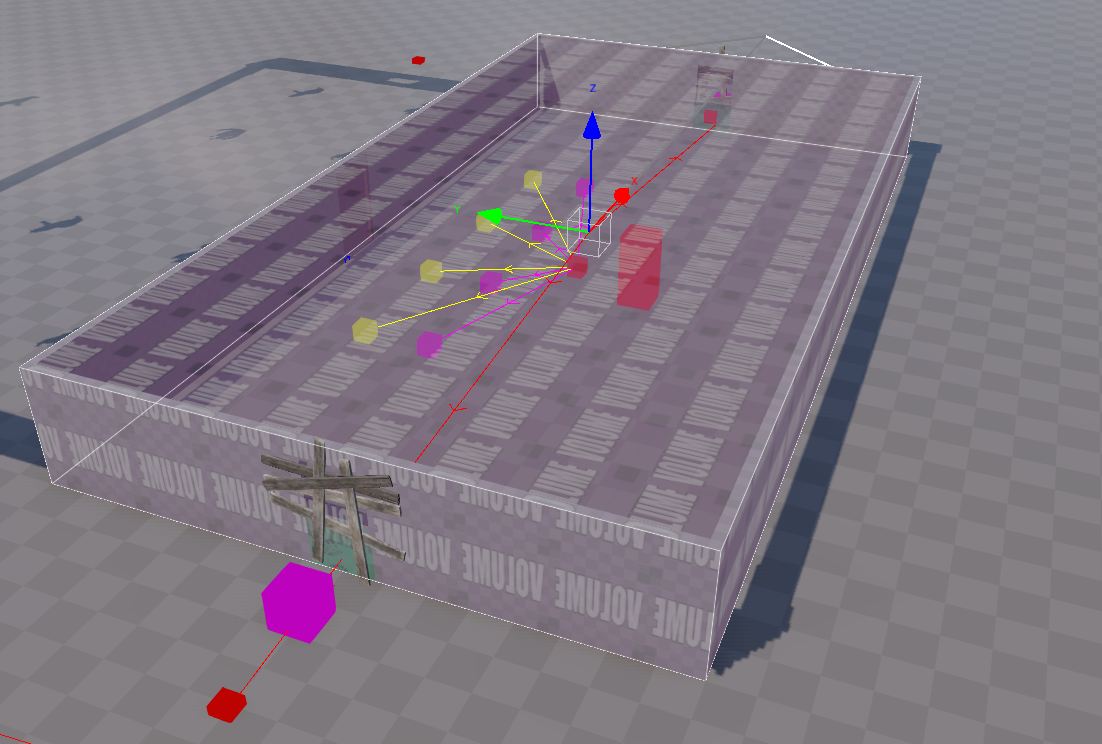 |
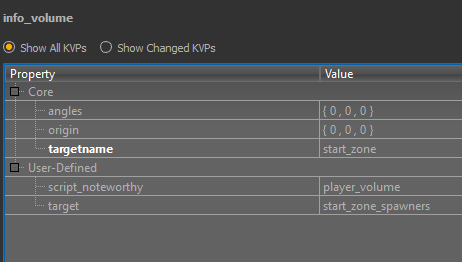 |
The next step is to set up our split zone, for the sake of this tutorial I will not make a huge one, I will simply split the area beside it in to two zones. I will call these zone_2a and zone_2b, but you can name them anything at all.
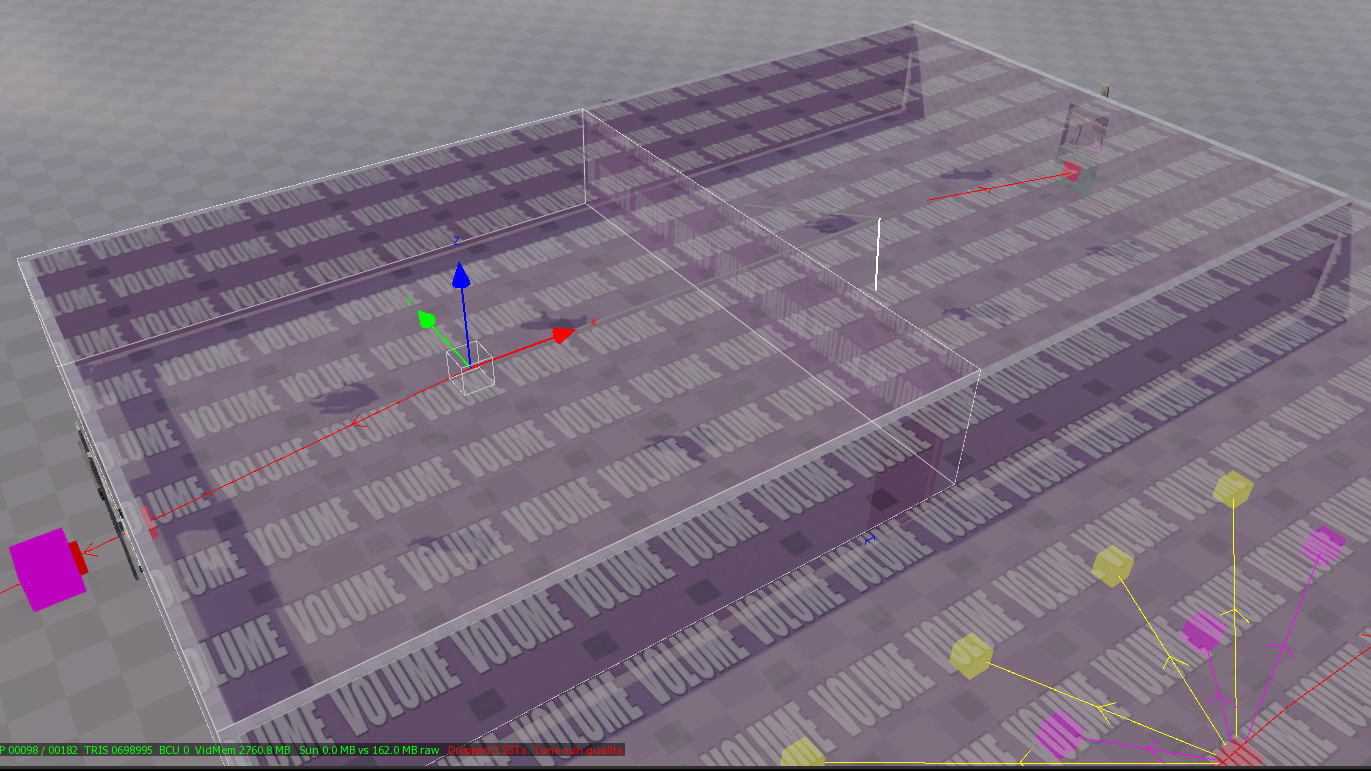 |
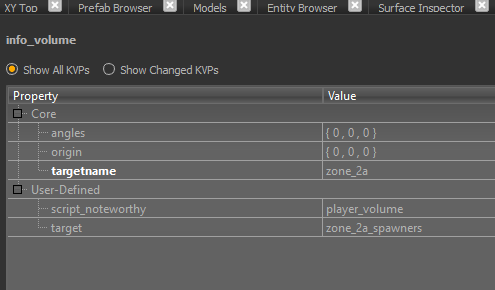 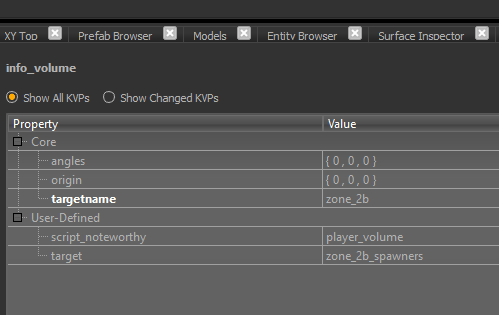
|
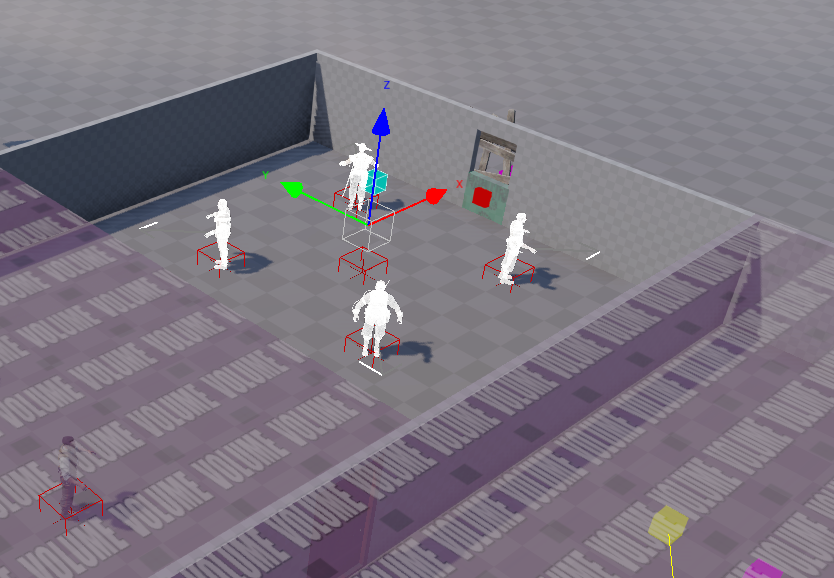
Both zones will of course need their own zombie spawn points attached. I have added windows on both sides of the room, the zombie spawn points are linked to one of the split zones each.
Thats it for radiant, now we need to do the scripting. This is quite simple really.
Scripting
First lets talk about what adjacent zones actually means.
The way the game keeps things happening close to players, is by us telling it what zones are close to other zones. Some clean-up manager scripts ( if you are actually using one ) also use this to make zombies despawn and respawn when you travel several zones away, rather than allow them to slowly follow you.
So when you set a zone as adjacent to another, you are saying if the player is in one of these zones, then zombies should spawn in both the zone they are in, but also any zone that has been registered as adjacent.
Open your map name.gsc and modify this function :
function usermap_test_zone_init()
{
    level flag::init( "always_on" );
    level flag::set( "always_on" );

    zm_zonemgr::add_adjacent_zone( "start_zone",        "zone_2a",        "open_zone_2" ); // ADD ME
    zm_zonemgr::add_adjacent_zone( "start_zone",        "zone_2b",        "open_zone_2" ); // ADD ME
    zm_zonemgr::add_adjacent_zone( "zone_2a",           "zone_2b",        "open_zone_2" ); // ADD ME
}
Note, that I am using the same script flag to open both zones. I have made 2b adjacent to 2a. I have also set both zones as adjacent to the start zone. So zombies should spawn, in all 3 zones if you are in any of them.
This is a small example, you could have 8 or 9 zones for example, you need to manage the adjacent zones appropriately if you want the spawning to remain close.
| 1 | 2 | 3 |
| 4 | 5 | 6 |
| 7 | 8 | 9 |
| 0 |
In the above example, you would not make zone 0 adjacent to zone 3 for example, as that will result in the same issues as using one large zone, you would make zone 3 adjacent to zones 2, 5 and 6 only.
I’ve used windows in my example to make it easier to test the spawning. When experimenting I advise using just one spawn point in each zone, to verify it’s working as desired, then you are free to add more.
Example for your gsc :
function usermap_test_zone_init()
{
    level flag::init( "always_on" );
    level flag::set( "always_on" );

    zm_zonemgr::add_adjacent_zone( "zone_0",           "zone_7",        "open_big_zone" );
    zm_zonemgr::add_adjacent_zone( "zone_0",           "zone_8",        "open_big_zone" );
    zm_zonemgr::add_adjacent_zone( "zone_0",           "zone_9",        "open_big_zone" );

	  zm_zonemgr::add_adjacent_zone( "zone_7",           "zone_4",        "open_big_zone" );
    zm_zonemgr::add_adjacent_zone( "zone_7",           "zone_5",        "open_big_zone" );
    zm_zonemgr::add_adjacent_zone( "zone_7",           "zone_8",        "open_big_zone" );

	  zm_zonemgr::add_adjacent_zone( "zone_8",           "zone_4",        "open_big_zone" );
    zm_zonemgr::add_adjacent_zone( "zone_8",           "zone_5",        "open_big_zone" );
    zm_zonemgr::add_adjacent_zone( "zone_8",           "zone_6",        "open_big_zone" );
    zm_zonemgr::add_adjacent_zone( "zone_8",           "zone_7",        "open_big_zone" );
    zm_zonemgr::add_adjacent_zone( "zone_8",           "zone_9",        "open_big_zone" );

	  zm_zonemgr::add_adjacent_zone( "zone_9",           "zone_8",        "open_big_zone" );
    zm_zonemgr::add_adjacent_zone( "zone_9",           "zone_5",        "open_big_zone" );
    zm_zonemgr::add_adjacent_zone( "zone_9",           "zone_6",        "open_big_zone" );

    zm_zonemgr::add_adjacent_zone( "zone_4",           "zone_1",        "open_big_zone" );
    zm_zonemgr::add_adjacent_zone( "zone_4",           "zone_2",        "open_big_zone" );
    zm_zonemgr::add_adjacent_zone( "zone_4",           "zone_5",        "open_big_zone" );
    zm_zonemgr::add_adjacent_zone( "zone_4",           "zone_7",        "open_big_zone" );
    zm_zonemgr::add_adjacent_zone( "zone_4",           "zone_8",        "open_big_zone" );

    zm_zonemgr::add_adjacent_zone( "zone_5",           "zone_1",        "open_big_zone" );
    zm_zonemgr::add_adjacent_zone( "zone_5",           "zone_2",        "open_big_zone" );
    zm_zonemgr::add_adjacent_zone( "zone_5",           "zone_3",        "open_big_zone" );
    zm_zonemgr::add_adjacent_zone( "zone_5",           "zone_4",        "open_big_zone" );
    zm_zonemgr::add_adjacent_zone( "zone_5",           "zone_6",        "open_big_zone" );
    zm_zonemgr::add_adjacent_zone( "zone_5",           "zone_7",        "open_big_zone" );
    zm_zonemgr::add_adjacent_zone( "zone_5",           "zone_8",        "open_big_zone" );
    zm_zonemgr::add_adjacent_zone( "zone_5",           "zone_9",        "open_big_zone" );

    zm_zonemgr::add_adjacent_zone( "zone_6",           "zone_2",        "open_big_zone" );
    zm_zonemgr::add_adjacent_zone( "zone_6",           "zone_3",        "open_big_zone" );
    zm_zonemgr::add_adjacent_zone( "zone_6",           "zone_5",        "open_big_zone" );
    zm_zonemgr::add_adjacent_zone( "zone_6",           "zone_8",        "open_big_zone" );
    zm_zonemgr::add_adjacent_zone( "zone_6",           "zone_9",        "open_big_zone" );

    zm_zonemgr::add_adjacent_zone( "zone_1",           "zone_2",        "open_big_zone" );
    zm_zonemgr::add_adjacent_zone( "zone_1",           "zone_4",        "open_big_zone" );
    zm_zonemgr::add_adjacent_zone( "zone_1",           "zone_5",        "open_big_zone" );

    zm_zonemgr::add_adjacent_zone( "zone_2",           "zone_1",        "open_big_zone" );
    zm_zonemgr::add_adjacent_zone( "zone_2",           "zone_3",        "open_big_zone" );
    zm_zonemgr::add_adjacent_zone( "zone_2",           "zone_4",        "open_big_zone" );
    zm_zonemgr::add_adjacent_zone( "zone_2",           "zone_5",        "open_big_zone" );
    zm_zonemgr::add_adjacent_zone( "zone_2",           "zone_6",        "open_big_zone" );

    zm_zonemgr::add_adjacent_zone( "zone_3",           "zone_2",        "open_big_zone" );
    zm_zonemgr::add_adjacent_zone( "zone_3",           "zone_5",        "open_big_zone" );
    zm_zonemgr::add_adjacent_zone( "zone_3",           "zone_6",        "open_big_zone" );
}
In the above, the game will know that zones 4 and 6, are NOT beside each other.
Some of these are duplicates and can be removed, but for ease on the eye you can just leave them. For example these two lines are doing the same thing :
zm_zonemgr::add_adjacent_zone( "zone_5",           "zone_1",        "open_big_zone" );
zm_zonemgr::add_adjacent_zone( "zone_1",           "zone_5",        "open_big_zone" );
Player respawn points
I have made this very easy, download the prefab above. You will find this in radiant under map_source\_prefabs\zm\harrybo21_prefabs\respawn_points
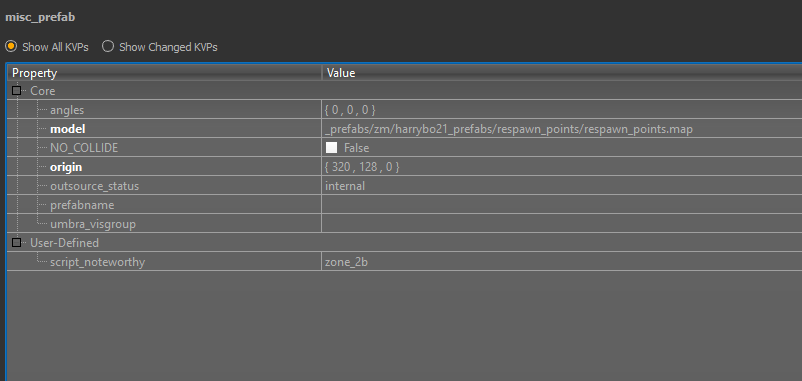
Place the prefab in your zone and add one KVP - script_noteworthy
This should match the targetname of the zone these spawns points reside in.
Players will then respawn in that zone if other players are currently in that zone, rather than back at the initial spawn points.
You can stamp the prefab and move the spawn points around, but beware of any target/targetname KVPs being lost within the prefab. Its a collection of 5 structs, one struct should be targeting the other 4, and this KVP must be unique.
Only the struct that is targeting the 4 player spawn points needs the script_noteworthy KVP, as seen if you examine the prefab in radiant.
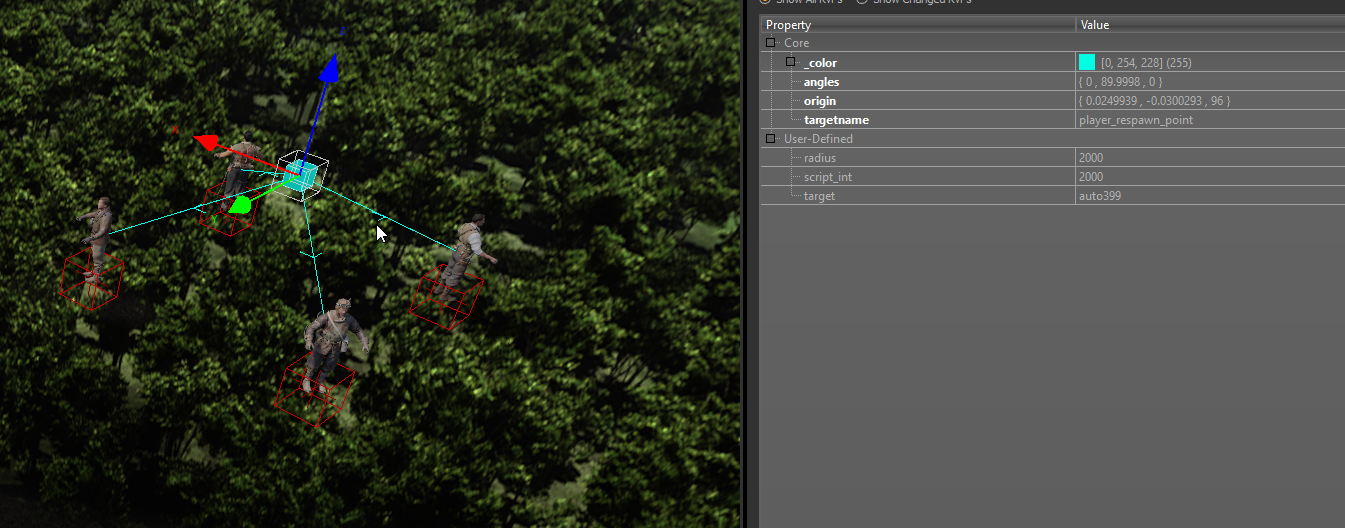 |
|
Example Map File
Please be aware, structs can have models assigned to them, which is why mine appear as the player models. These only show that way within radiant, they will be invisible as normal in game. If you seem to have a broken struct in radiant when using my prefab, you can just delete the model KVP from the structs, as its likely you may not have these models in your mod tools. I have done this as I find it useful for seeing what structs are when developing in radiant.
Credits
Harry Bo21
Kingslayer Kyle
Was this page helpful?
Glad to hear it. Please tell us how we can improve.
Sorry to hear that. Please tell us how we can improve.